


Declare a browser
Export a namedbrowser at the project root:
browser.ts
browser/ or sandbox/: those locations do not enable browser support.
|
idleTtlSeconds | 600 | Seconds of inactivity before the browser stops; accepts integers from 60 through 86400 |
Choose a scope
Thread scope starts each new conversation without another thread’s cookies or logins. For example, sign in to a web app with a test account, then reuse the tabs and login as you iterate on a change in the same thread. A separate app-testing conversation gets an isolated browser. Starting another thread does not delete the previous browser.
For user scope, change the declaration:
browser.ts
Browser tools
Managed Deep Agents includes these tools automatically when a browser is defined:
Take a new snapshot after navigation or when element IDs become stale. Browsing does not require an agent sandbox; saving screenshot files does.
Hand off the browser
Human handoff lets you sign in or handle a page the agent cannot complete on its own. The agent callsbrowser_handoff(reason) to give you control of its thread’s browser window.
Custom clients must render the handoff artifact to provide the embedded browser or browser link.
To complete a login and return control:
- Ask the agent to perform the website task. If login, CAPTCHA, or two-factor authentication requires your input, the agent requests a handoff and explains why.
- Use the embedded browser or open the browser link supplied by your client. Studio shows a The agent needs you in the browser card with an embedded browser and an option to open it in a new tab. Enter credentials directly on the website, not in chat, and complete any required authentication steps.
- Click Hand back in the browser window when you are finished.
- The agent is notified that you handed control back. It inspects the current page to check whether login succeeded, then continues the task.
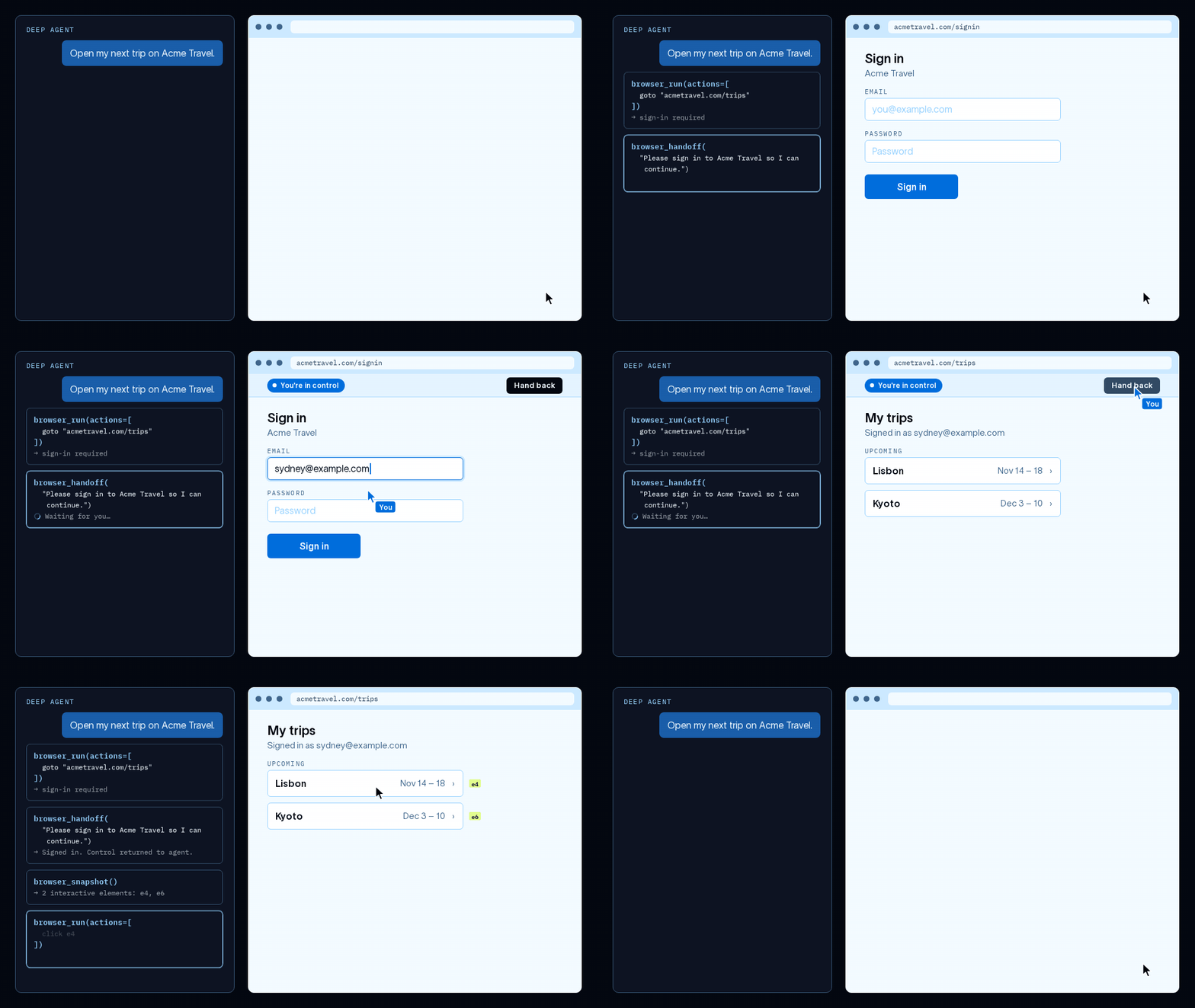
Animated browser handoff demo: sign in on the website, then hand control back to the agent.
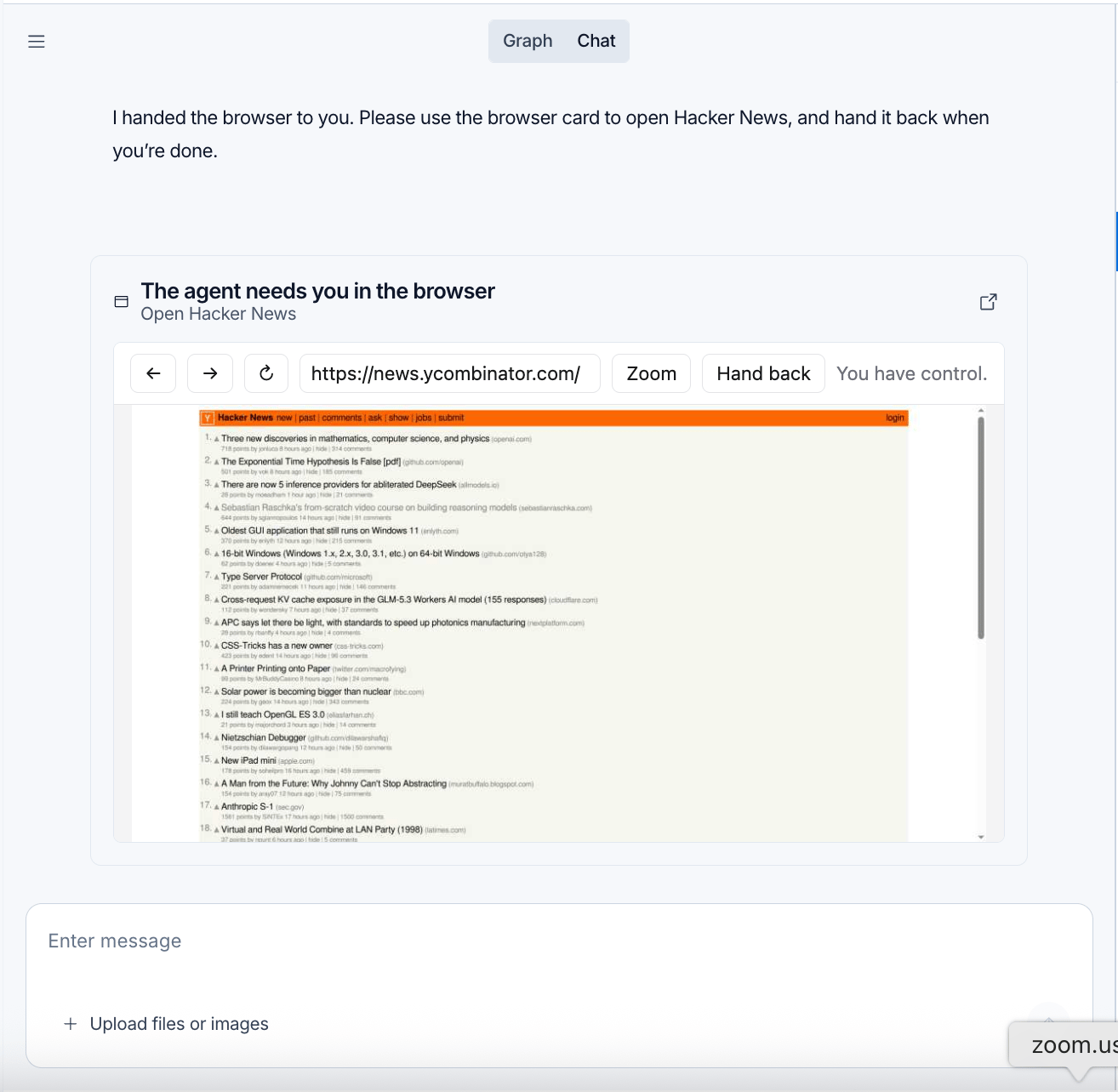
Browser handoff in Studio, with Hacker News open and the Hand back control above the page.
Choose a browser per run
Setbrowser explicitly in a graph factory to choose the scope and idle timeout for a run:
agent.ts
browser=None in Python or browser: null in TypeScript. Pass a browser definition, not a middleware instance. Static agent definitions configure browser support in the declaration file instead.
See also
Connect these docs to your agent of choice via MCP for real-time answers.